

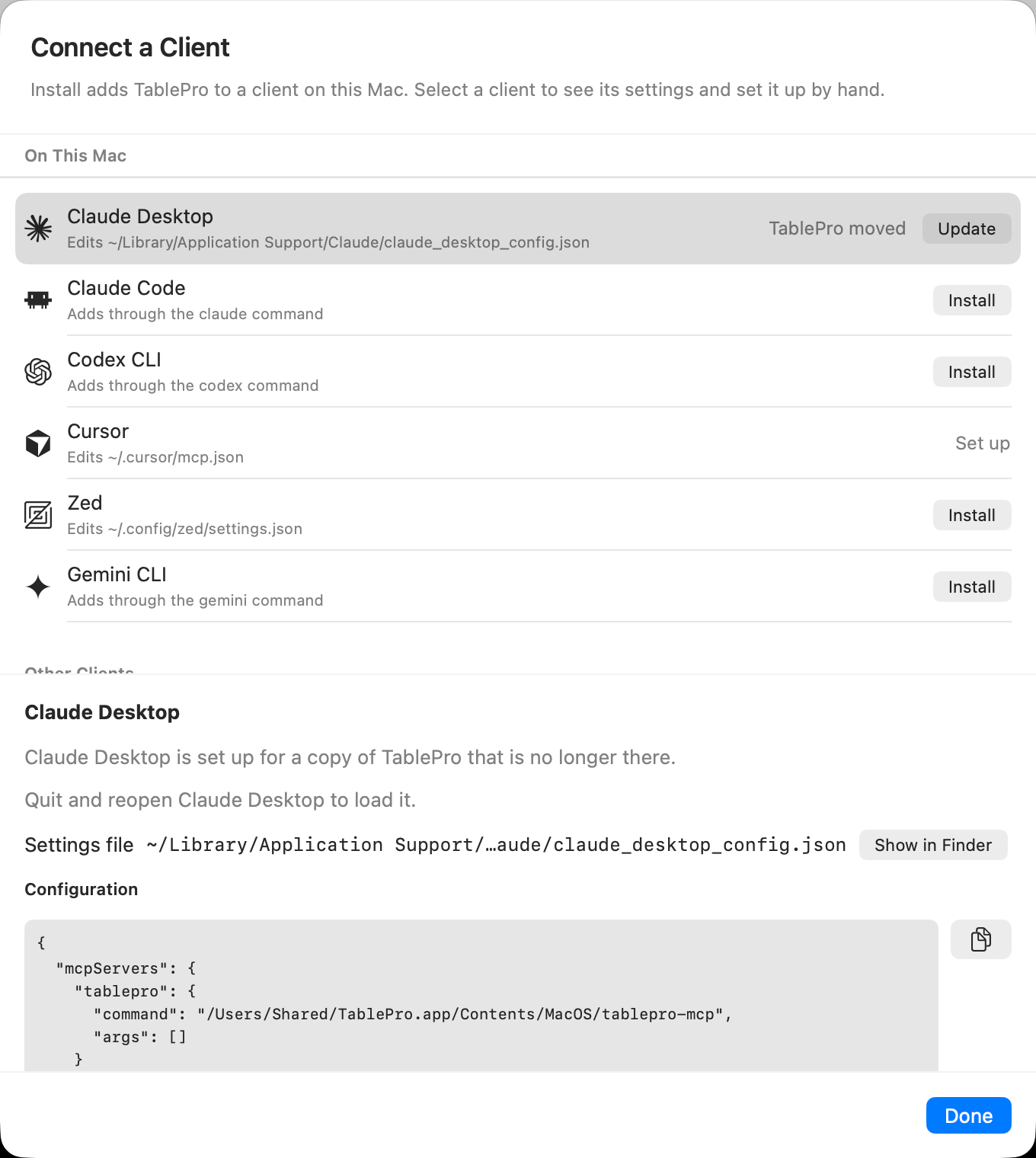
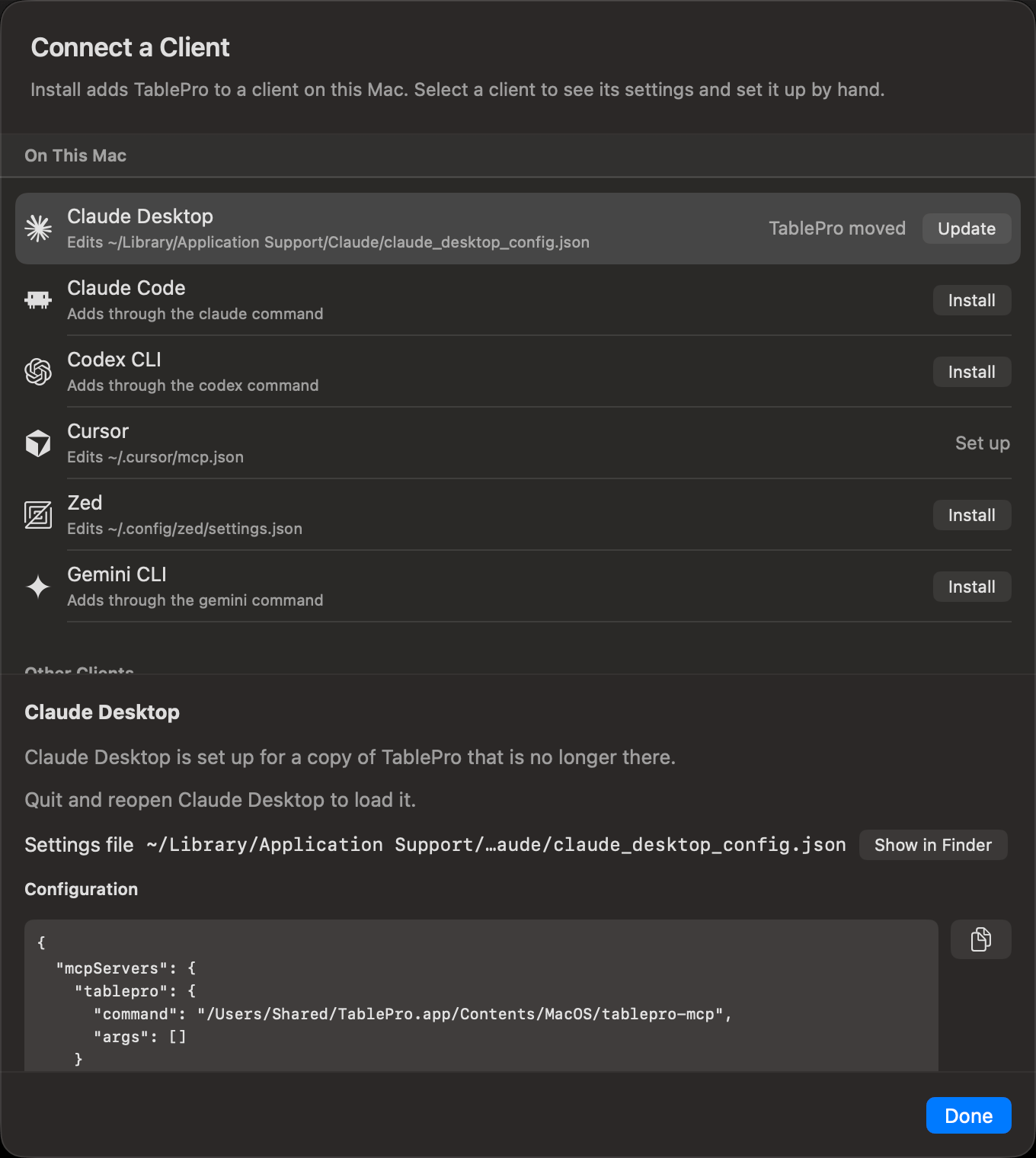
Clients found on this Mac come first
tablepro-mcp, from inside the app. The bridge launches TablePro when nothing is running, finds the private socket and carries the token, so the client’s file holds no token and no port.
TablePro for Linux has no bridge. Its clients get an address and a token instead: see TablePro for Linux.
Set up a client
1
Turn on the server
Turn on Enable MCP Server in Settings > MCP. While it is off, the sheet says so and clients you add cannot connect yet.
2
Open the client list
Click Connect a Client…. Clients found on this Mac are under On This Mac, the rest under Other Clients. The same button is on the toolbar of Connected Clients in the MCP Activity window.
3
Install
Click Install on the client’s row. Install…, with an ellipsis, opens the client to confirm the new server there; the row reads Finish in and the client’s name until you do.
4
Load it in the client
Select the row to see whether the client picks up the change at once or needs a new session, a reload or a restart.
The row reads Connected once the client calls the server.
How each client is set up
A row uses the first method that works on this Mac: the client’s install link, its own command, or an edit of its settings file. Copy is always there as well.
A read-only file is one the client’s own command manages: TablePro reads it for the status and never writes it. A client with no settings file TablePro reads never shows Set up; it reads Connected once it calls the server.
CLAUDE_CONFIG_DIR, CODEX_HOME, COPILOT_HOME, CLINE_DIR and XDG_CONFIG_HOME move these files only when they are in TablePro’s own environment. An app opened from the Dock or Finder does not get them from your shell profile, so a client whose folder you moved that way needs Copy.
ChatGPT and Codex CLI
Both read~/.codex/config.toml, so installing one sets up both, and both rows read Connected when either one connects. ChatGPT Classic reaches MCP servers only from OpenAI’s cloud, never from your Mac. Its row gives that reason and has no button; set up ChatGPT instead.
What the status means
Update edits the settings file where TablePro may write it, and otherwise runs the client’s command; it never uses the install link. In the file it rewrites only the keys TablePro sets, so a value you added to the entry, such as an
env entry, stays. A client’s command replaces the whole entry.
What TablePro writes
Install, Update and Remove change one thing in the client’s settings file: thetablepro entry, or for Codex and ChatGPT the [mcp_servers.tablepro] table. Other servers, comments, key order and indentation stay as they were.
- Before TablePro replaces a file, the file as it was goes beside it as
<file>.tablepro-backup, such as~/.cursor/mcp.json.tablepro-backup. The next write replaces it. To undo a change, rename the backup over the file. - A settings file that does not exist yet is created with mode
0600, and the folders above it as needed. - A settings file that is a symbolic link is written through, at the file it points to.
- A file TablePro cannot parse, one that names a key twice, and a Codex file that defines
tableproother than as a[mcp_servers.tablepro]table are not touched. The row says why, and Copy still works.
Remove TablePro from a client
Select the client’s row and click Remove…, or pressDelete, then confirm. Claude Code, Codex CLI, ChatGPT and Gemini CLI are removed through their own command where TablePro finds it. The rest lose the tablepro entry from their settings file, with the backup kept.
Goose, opencode, Raycast and JetBrains AI Assistant have no Remove. Remove TablePro in the client itself.
Set up a client by hand
Right-click a row and choose Copy Command or Copy Configuration. Both carry this copy’s bridge path, and the command quotes it where it has a space. A client that is not in the list takes the bridge as a command:/Applications, use your own bundle’s path.
For Claude Code, from Terminal:
--scope user adds the server to every project. Without it, Claude Code adds it to the current project only, and the row reads One project only. The double dash separates Claude Code’s flags from the command it runs. Verify with claude mcp list.
What the config leaves out
TablePro does not have to be open first, but Enable MCP Server has to be on. Finding no trusted handshake, the bridge runsopen -g tablepro://integrations/start-mcp and polls for one every 200ms for up to 10 seconds. With the toggle off, or a server that fails to start, TablePro writes down its refusal and the bridge exits with the matching error at once. A TablePro started that way stays out of the Dock, the app switcher and the menu bar until it has a window to show; open the app yourself and it behaves normally for the rest of that run.
The token is not yours to manage either. Each server start mints one named __stdio_bridge__, writes it into the handshake file, and rotates it 15 minutes before its one-hour expiry. It is Read & Write, so an agent on the bridge can read and write but cannot call confirm_destructive_operation.
The bridge reads the socket path from the handshake file. It checks the socket before sending a token, then checks the server instance before forwarding client requests. The HTTP port is only for clients using the HTTP transport.
Two installs share that one handshake file, so the bridge reaches whichever TablePro is running rather than the bundle whose path you configured. Quit the one you do not want.
For a narrower scope than
readWrite, or a connection allowlist, use the HTTP transport with a token you mint yourself.TablePro for Linux
The server runs only while TablePro is open, and answers HTTP on127.0.0.1. Each client entry holds the address and an Authorization header with the access token, so it works without a bridge.
1
Turn on the server
Turn on Preferences > MCP > Enable MCP Server.
2
Install
Under Clients, click Install on the client’s row. Click the row itself for its status, its configuration file, the setup to paste by hand, and Remove….
3
Load it in the client
The message after Install says whether to restart the client, start a new session or reload. Another message says when a client connects.
- Install writes the entry into the client’s file as described in What TablePro writes. The file holds the token, so TablePro leaves it readable only by you.
- Claude Code is installed through
claude mcp add --scope user --transport http, which TablePro runs without a shell. The Flatpak never runs a client’s command: there the row offers Copy, and you run the command in a terminal. - Goose, opencode and JetBrains AI Assistant offer Copy only.
- Claude Desktop starts MCP servers only as local commands, so it cannot reach this server. Its row reads Cannot connect to an address.
- The setup shown on a client’s page masks the token. Copy includes it.
- The server answers only programs running as your user. Any other connection gets
403with “TablePro serves only programs of the user it runs as”, whatever token it sends.
Regenerate Access Token… works with the server on or off. Rows set up with the old token say so, and offer Update, while the server runs. The Linux command reads the new token itself.
To set up a client by hand, use Copy Address and Copy Authorization Header under Client Setup. For Claude Code:
claude mcp list should show it as connected.
Linux tools
Start withlist_connections and pass an id from its result as connection_id. Call connect for
a closed connection; a connecting result means the user may need to answer a prompt in the app.
Call it again to check for open.
Arguments marked ? are optional. Unknown arguments are rejected.
database defaults to the connection’s own database. An override must already be open beside it
through Open Database…. schema defaults to the connection’s default schema. Pass table and
column names without SQL quotes. execute_query takes no schema; qualify names in the SQL.
read_only defaults to false. Set it to true to refuse anything but a read before asking for
write approval. Query size, row and timeout limits are the same as the
Linux command; its query rules
also apply. browse_table.limit and export_data.max_rows use the query row limits.
export_data takes the export formats and table limit and returns text
in the response, without writing a file.
A filter has column, operator, and either value or values. Operators are eq, not_eq, lt,
lt_eq, gt, gt_eq, contains, starts_with, ends_with, like, not_like, ilike, is_null,
is_not_null, in, not_in and between. Use values for lists and the two bounds of between;
null checks need neither. logic is and by default, or or. Each sort entry has column and an
optional direction: ascending by default, or descending.
HTTP transport
Use HTTP when the client cannot start a local process. Click Generate Token in Settings > MCP > Authentication. The sheet that shows the new token has a Client menu: pick the client for its command or configuration with the address filled in, or Other Client for the address and header alone. The token is masked on screen, and the copy button includes it. For a client that is not in the menu:23508 with the port shown in Settings > MCP. When the configured port was taken and the server bound another, the sheet warns that the address changes when TablePro restarts. Other clients use the same url plus headers shape, sometimes under type: streamable-http. Check the client’s docs.
Three things change on this route. The server binds 127.0.0.1 over plain HTTP with no remote mode and no TLS, so a client on another machine needs an SSH port forward. GET /mcp answers 405, so a client that opens a GET stream for notifications fails; notifications ride the response stream of the request they belong to. And 2025-11-25 and 2025-06-18 still work through the old initialize handshake and Mcp-Session-Id, while 2025-03-26 is refused.
Writing a client against 2026-07-28 directly means sending the required _meta and headers on every request. See MCP Protocol.
Check it worked
Ask the client to list TablePro tools, or calllist_connections.
The tool list contains
list_connections, list_tables, describe_table and execute_query, and list_connections returns your saved connections.list_connections and call describe_table before writing SQL. A connection’s External Clients level and the token’s scope still apply on top of that.
When it does not work
The bridge writes its failure to stderr and as a JSON-RPC error, so the message in the client names the layer that refused. A failed Install, Update or Remove shows its message under the client’s name in Connect a Client.The TablePro MCP server is turned off
Enable MCP Server is off in Settings > MCP. Turn it on, then relaunch the client.The TablePro MCP server is turned on but failed to start
Settings > MCP shows why under Status. Fix that, click Try Again, then relaunch the client.TablePro is not running
The bridge could not launch the app, or got no trusted handshake within 10 seconds. Open TablePro and check that Settings > MCP shows the server running; if it does, toggle Enable MCP Server off and on, then relaunch the client.The local MCP endpoint did not prove it belongs to TablePro
The handshake file points at a process the bridge will not trust, usually one left behind by a TablePro that is gone. Quit TablePro, delete~/Library/Application Support/TablePro/mcp-handshake.json, and reopen the app, which rewrites it.
This TablePro build does not speak 2026-07-28
The bridge is newer than the app it found. Update TablePro.This connection is read only for external clients
External Clients on that connection is Read Only and the statement writes. Change it under Access on the connection form’s Options tab, or run the query in the app’s editor.Forbidden (-33007)
External Clients is Blocked, the connection’s AI policy is Never, or the token’s allowlist excludes it. Any of the three also hides the connection from list_connections, except that a launcher token granted connections:display still lists a connection whose AI policy is Never.
Unauthenticated (-33009)
The bridge token is stale. The bridge re-reads the handshake and retries once on its own, so this reaches you only when TablePro is not running.
Rate limited (-33010)
Five failed auth attempts inside 60 seconds triggered a 5-minute lockout for every client on this Mac. A request that sends no token is not a failed attempt. Wait it out, or restart TablePro. The other rate limits return the same code.
The … command stopped with exit code …
The client’s own command refused the change. Its output is under the message. Fix what it names, or copy the command and run it in Terminal.… could not be read as valid settings, so TablePro left it unchanged
The client’s settings file is not valid JSON, JSON with comments, or TOML. Open it with Show in Finder and fix it, or paste the setup from Copy Configuration by hand.… names the same key twice, so TablePro left it unchanged
Two members of one object on the way to TablePro’s entry share a name. Delete the duplicate, then click Install again.TablePro serves only programs of the user it runs as
TablePro for Linux answered403: the client runs as another user, or the server could not tell which user it runs as. Run the client as the user who runs TablePro.