

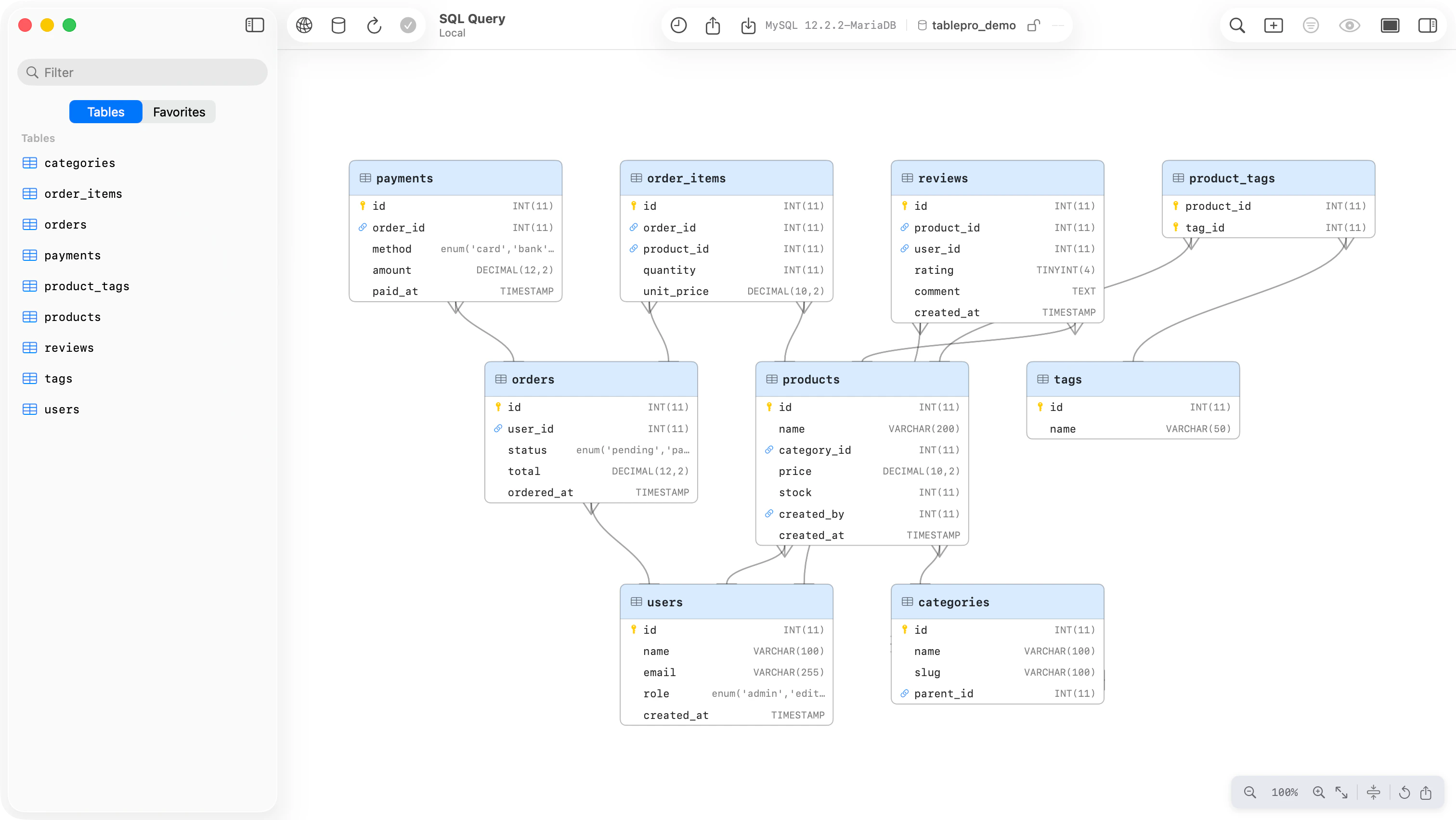
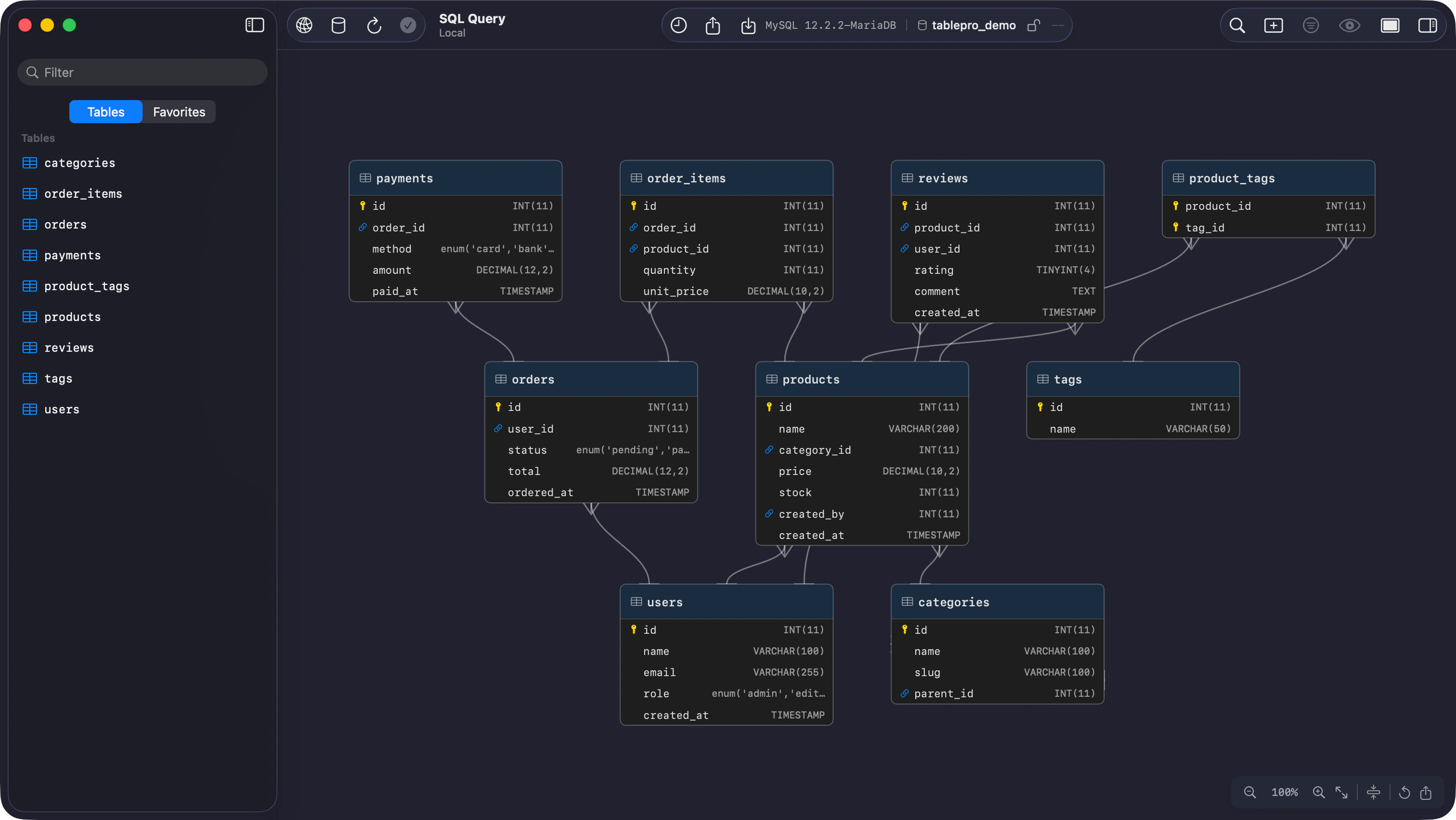
ER diagram showing tables and foreign key relationships
Reading the diagram
Each node lists the table’s columns with their types and badges the primary and foreign keys. Tables connected by foreign keys share a header color; a table with no relationships stays uncolored. With the system Differentiate Without Color setting on, the tint goes and grouping is left to position. Edges use crow’s foot notation. The referenced end always carries a single bar, “exactly one”. The foreign key end shows the cardinality inferred from that column’s primary key and unique index data, so an edge fromorders.user_id to users.id forks at orders and bars at users.
A foreign key that points at its own table,
employees.manager_id to employees.id, is drawn as a
loop out of the table’s right edge and back, with the same two markers.
Navigation
The buttons and keyboard commands step through fixed levels from 5% to 300%. A pinch, Cmd + scroll and Fit reach 1%.
The keyboard commands act on the diagram while it has focus. Opening or returning to the tab gives it focus unless the sidebar or another pane holds it, and a click anywhere in the diagram takes it back.
Drag a node to move it, toward the edge of the viewport to auto-scroll. Positions are saved and survive across sessions; Reset Layout, the circular arrow button, puts every table back where the automatic layout had it.
VoiceOver reads the diagram as a layout area of tables. Each table announces its name, its column
count and what it is joined to; step into one to hear each column with its type and whether it is a
primary key, a foreign key, or optional. Selecting a table in the diagram moves the VoiceOver cursor
to it.
Compact mode
The compress button in the toolbar cuts every table down to its primary key and foreign key columns, which is what makes a wide schema fit on screen.Junction tables
A table whose primary key is made of two foreign keys,user_roles and its like, is read as a many-to-many join. Collapse Junction Tables is on by default: the junction table is hidden and one many-to-many edge, forked at both ends, joins the two related tables. Turn it off to draw the junction table itself, with its two one-to-many edges and a distinct header icon. The toggle appears only when the schema has junction tables.
Export
Export as PNG renders the whole diagram at twice screen resolution with 40 points of padding, whatever the current zoom and scroll position, and saves it aser-diagram.png. Cmd+C puts the same image on the clipboard. Compact mode and expanded junction tables carry into the render, so set the view up first.
For the tables’ DDL, choose File > Export > Export Tables…, pick SQL and leave Structure on. See Import & Export.