

Levels
New connections start at Silent, which is the right choice for a local database you own. Move a shared staging connection to Alert and anything with real customer data in it to Safe Mode or Read-Only.
Four things the table cannot carry. The confirmation dialog shows the whole statement, syntax highlighted and scrollable, with a Copy All button and a line naming the connection and whatever asked to run it. Touch ID falls back to your macOS password on a Mac without it.
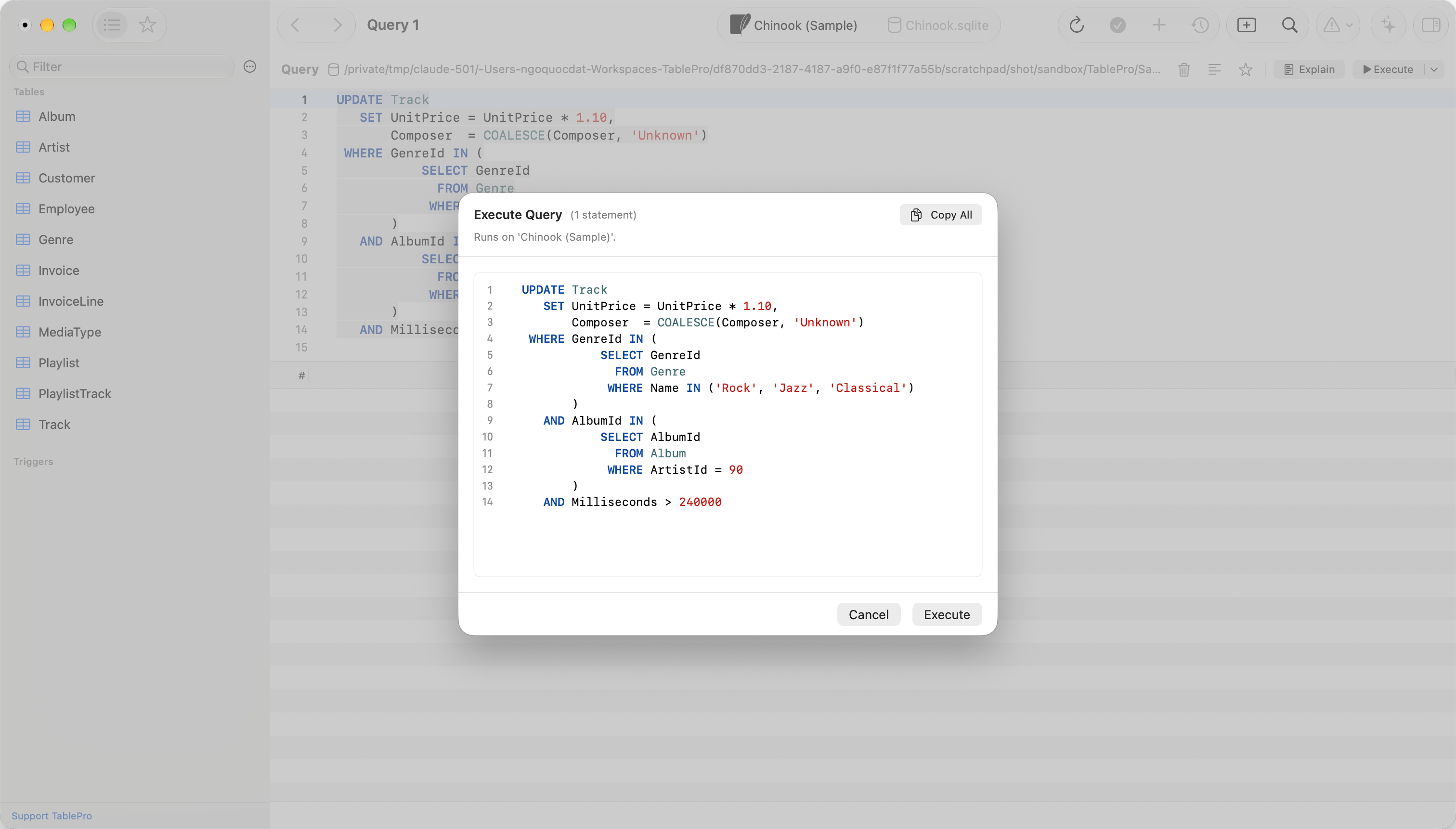
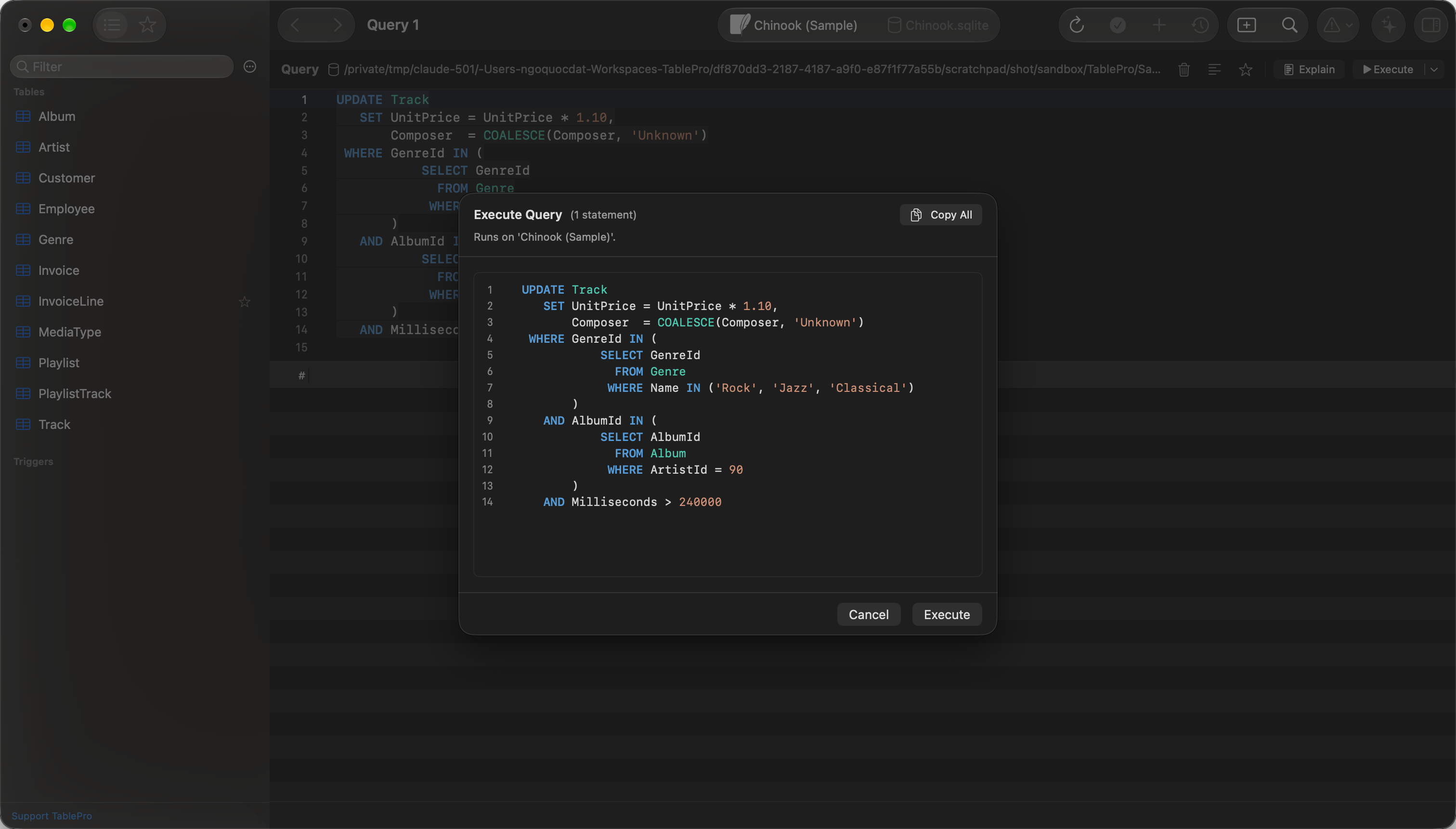
The statement arrives whole, however long it is
DROP, TRUNCATE, and a DELETE with no WHERE still raise the built-in dangerous query warning even there. And Read-Only goes past queries to the interface itself, disabling inline cell editing, adding, deleting and duplicating rows, table truncate and drop, and import.
Connections that are always read-only
A connection that cannot take a write runs at Read-Only whatever level it was given. Its edit form shows the level as fixed text, and Read-Only is the only level the padlock and Database > Safe Mode Level offer. The level you chose stays saved and applies again once the condition no longer holds.Agent mode raises the level
A connection open in Agent mode runs at Alert or stricter for as long as the mode is on, so every write the assistant proposes waits for an answer. The level you chose is untouched and applies again on the way out. A connection already at Alert or stricter keeps its own. The reason for the floor shows in three places while the mode is on: under the level list, in the padlock’s tooltip, and on the line above the agent’s transcript.What the level gates
Safe Mode sits in front of query execution, saving cell edits, structure and table changes, sidebar operations, imports, and maintenance jobs, including the ones the AI assistant and the MCP tools ask for. It does not sit in front of reading metadata. Loading the sidebar, opening a table’s structure, and exporting data are never confirmed, which is why a backup stays available on a Read-Only connection.What always counts as a write
The Redis, MongoDB, and etcd drivers cannot open a read-only session, so Safe Mode treats every query on those connections as a write: the Alert and Safe Mode levels confirm everything, and Read-Only blocks everything. Every other driver classifies reads and writes normally. The server runs the text inside a MySQL conditional comment,/*! ... */ or MariaDB’s /*M! ... */, so a statement holding one counts as a write even when the rest of it only reads. Remove the comment to run the statement on a Read-Only connection.
Statements are counted the way the server counts them
Where a string, a quoted name or a comment ends depends on the engine. A backslash escapes a quote on MySQL and not on PostgreSQL, and block comments nest on PostgreSQL and SQL Server and not on MySQL. A query is split into statements by its own engine’s rules. When a session setting changes the answer, such asNO_BACKSLASH_ESCAPES on MySQL or standard_conforming_strings on PostgreSQL, the query is read under each setting and the strictest result applies: a query that holds a write under any reading asks for confirmation, and Read-Only blocks it.
Changing the level while connected
A padlock in the toolbar carries the current level: open for Silent, closed for the rest. Click it for the levels this connection may run at, with the current one ticked. Database > Safe Mode Level is the same list. Four things can hold the level above the one you chose: a read-only engine, a remote database file, a managed policy, and Agent mode. The weaker levels are then left out of both lists, the reason sits under them, and the padlock’s tooltip carries the same sentence. Picking the level already in force writes nothing.
The padlock reads the level without opening the menu
Server read-only is not Safe Mode
Safe Mode runs inside TablePro. It cannot make a server accept a write the server itself refuses, and the wording tells you which one refused. “Cannot execute write queries: TablePro’s Safe Mode is set to read-only for this connection” is the app. Anything else is the server, and the usual causes are these:- You are connected to a read replica or a reader endpoint rather than the primary.
- The server runs with
read_onlyorsuper_read_onlyturned on. - The server or the session opens new transactions read-only.
innodb_read_only set to ON means you are on a replica. Connect to the primary to write.
Execution log
TablePro records each authorization decision, allowed or refused, to a local log: the time, the connection, the kind of operation, whether it was a write, and the outcome. The statement is stored as a SHA-256 digest, so the log is not a second copy of your data. Each record carries the hash of the one before it, so recomputing the chain shows whether a record was edited, reordered or removed. The log is local. It is not synced and not sent anywhere.Managed by an organization
An administrator can impose a minimum level through a macOS configuration profile, delivered by an MDM such as Jamf or Kandji. The profile targets thecom.TablePro preference domain with one flat key:
A connection set below the floor runs at it, and a stricter choice is left alone: the policy is a floor, never a ceiling. A value TablePro does not recognize imposes no floor at all. While the policy is in force, the padlock, Database > Safe Mode Level and the connection form each list only the levels at or above it. The level you chose stays saved and applies again once the profile is removed.
This is a floor on TablePro’s own behavior, not on the database. It stops the app issuing a write; it does not stop the same person connecting with
psql. Pair it with server-side privileges for anything that has to hold.
External clients
A write from an external client (Raycast, Cursor, Claude Desktop, any MCP client) clears three locks in order:- External Clients (per connection: Blocked / Read Only / Read & Write), in the connection form’s Advanced pane. A Read Only connection rejects a write before the request reaches the database.
- Token scope (per integration:
readOnly/readWrite/fullAccess), issued by the pairing flow. The effective permission isMIN(token.scope, connection.externalAccess). - Safe Mode, per query. Everything on this page then applies, Touch ID prompts and confirmation dialogs included.
DROP and TRUNCATE always go through the confirm_destructive_operation tool, which needs a fullAccess token and the user’s approval every time. No token scope skips it. See the External API security model.
A client that answers its own approval prompt has only answered its own. Only a fullAccess token stands in for TablePro’s dialog. On every other token the dialog still appears on the Mac, so a readWrite client asks twice.