

Who can share
Sharing needs a TablePro account with a verified email address. Sign in under Settings > Account on the Mac, Preferences > Account on Linux, or Settings > Account on Windows.
Pro means a Pro or Team license, a seat on a team included. See Licensing.
A link is live until it expires, you revoke it, or TablePro removes it. A link that expired, was revoked or was removed frees its slot. A suspended link keeps its slot. Team links count against the team’s own limit of 1,000, never against yours.
On Free, extend a link to 30 days from now at any time, from your account.
After Pro ends
Your links keep working. Once, every live personal link that never expires, or expires more than 30 days later, is set to expire 30 days from then. Passwords stay on the links that have them. A new link waits until fewer than 5 are live.Share from the Mac
From a table tab, the link holds the table from its first row, with the tab’s filter and sort, up to your plan’s row limit, whichever page is on screen. With a value filter on, it holds the rows the filter shows. From a query tab whose result stopped before its end, the rows past those loaded are read from the server, up to the limit. A table view that cannot be written as SQL shares its rows only, and the sheet says so.
On Linux and Windows the commands sit elsewhere: see Linux and Windows.
The share sheet
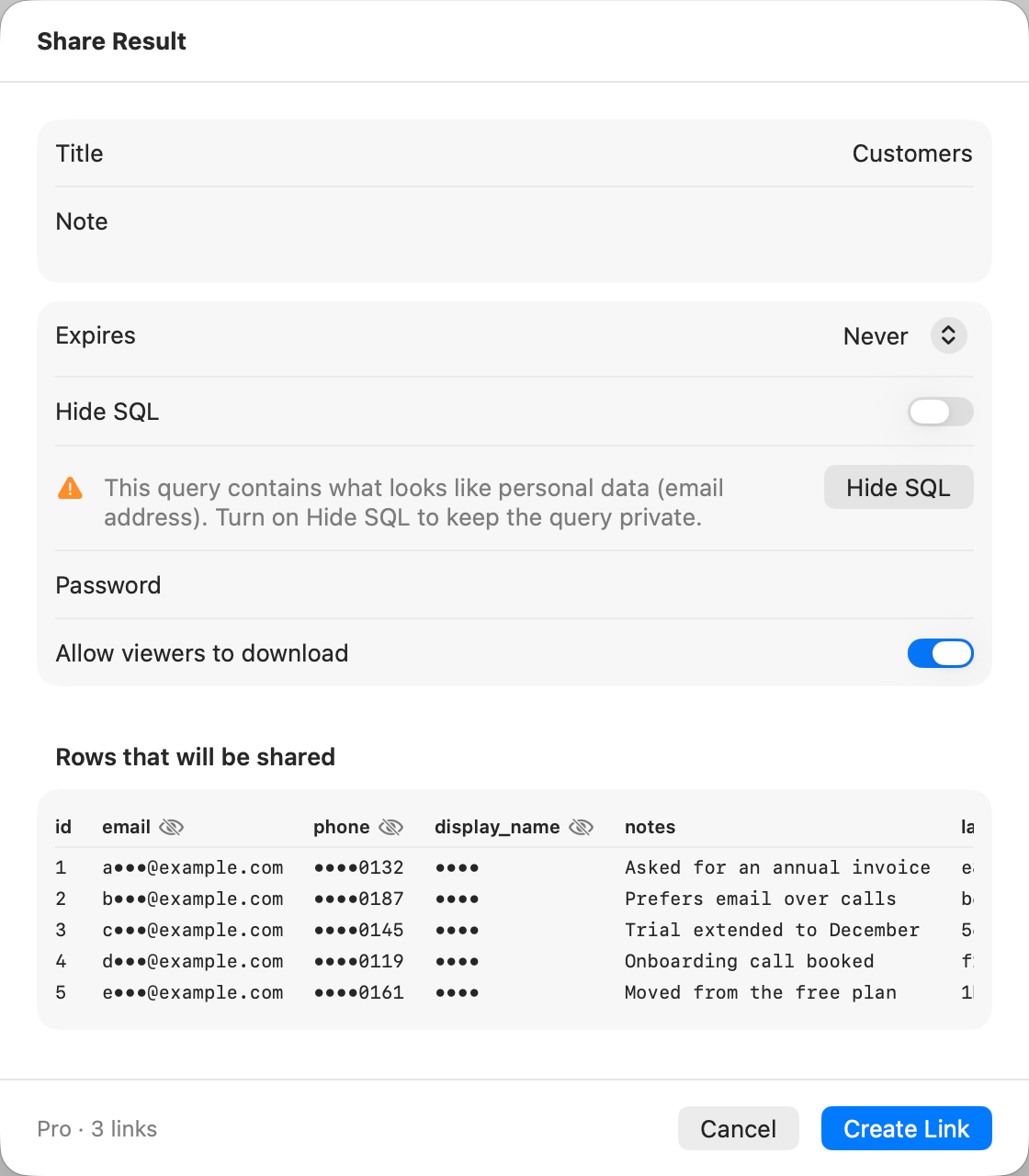
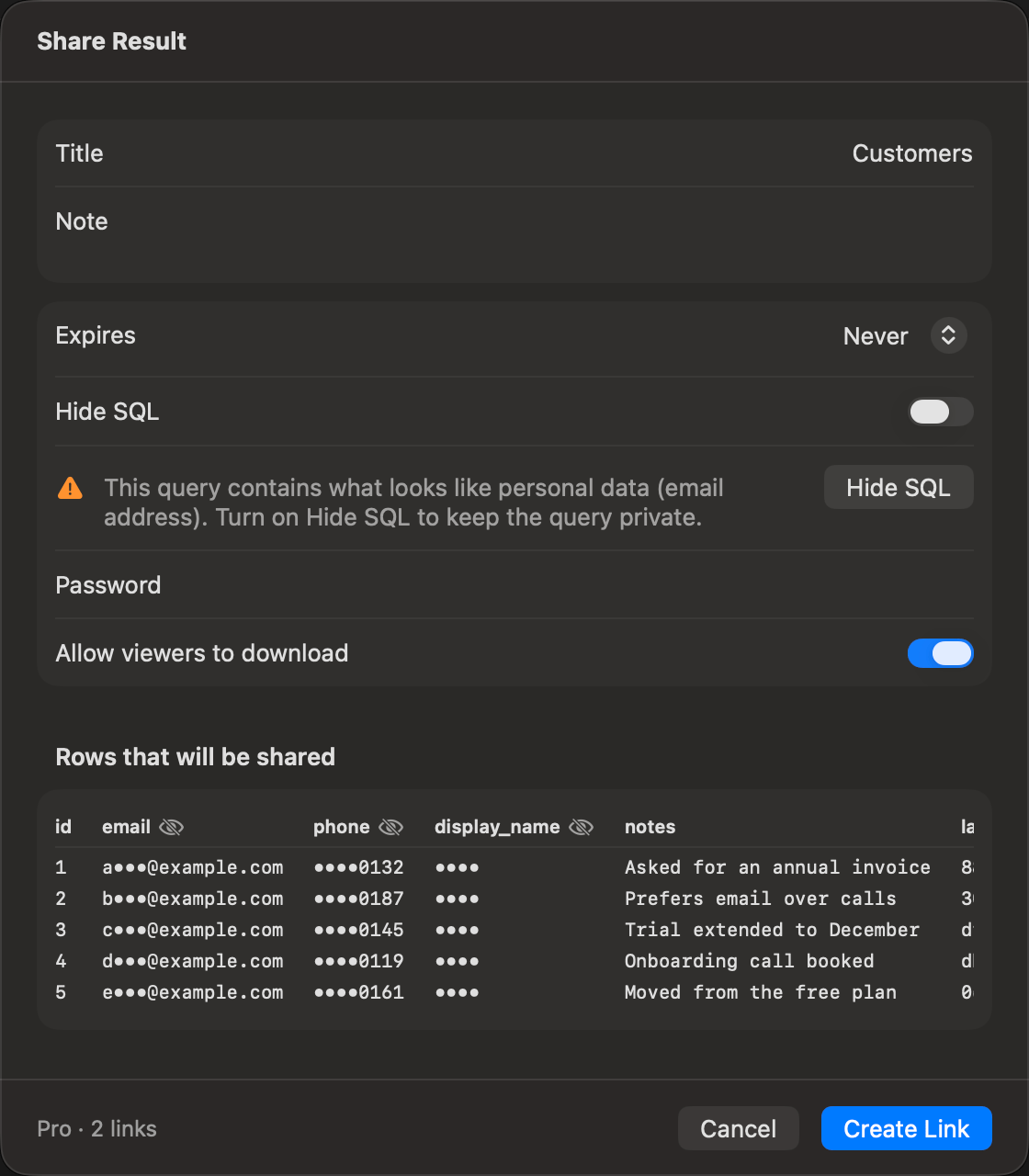
A Pro account sharing a result whose query holds an email address
The field labels read the same in all three apps, except Share As on Linux. Windows words its buttons in sentence case, such as Sign in… and Open in browser.
On Free, Never, Password and Allow viewers to download are dimmed and carry a Pro tag. Click the tag to see the plans in your browser.
Under Share as, a team whose public links are off is listed but dimmed, with “Public links are off for this team.” Choosing a team makes a team link: the footer and the at-limit list then count that team’s links instead of yours.
For a result, Rows that will be shared previews the first 5 rows as they will be sent: the columns the grid shows, in its order, with masks applied and removed columns left out. Under it, Columns sets what each column sends, as Sensitive data explains. A result longer than your plan allows is cut, and the sheet says so: “Shares the first 1,000 of 48,210 rows.” The page tells viewers the same.
A query that looks like it holds a secret, such as an AWS access key, a private key, a JSON Web Token, an API token or a password in a URL, gets a warning naming it. So does a column set to Keep whose name looks like
password, token, secret, api_key or ssn. Warnings never stop the share. With Hide SQL on, the query’s warnings go away, since the page does not show the query.
The footer counts your links: Free · 3 of 5 links · first 1,000 rows, or Pro · 12 links.
Click Create Link, or Share on Windows. The link goes to the clipboard, and the sheet shows it under Link copied with Copy and Open in Browser.
Large results
A link holds up to 100 columns and about 4.5 MB of values, weighed after masking.- With more than 100 columns kept or masked, the first 100 go, and the sheet says “Shares the first 100 columns.” Remove columns under Columns to choose which go.
- Rows that would take the link past 4.5 MB are cut, and the sheet shows the same “Shares the first … of … rows.” note as for your plan’s limit.
- A single value over 256 KiB, or a first row over 4.5 MB, stops the share with “This result is too large to share.” Mask or remove that column. Windows names the column.
At the link limit
With every slot taken, the sheet lists the live links holding them, oldest first, each with Revoke. Revoke one and the form comes back.If the link is not created
Sensitive data
Check Columns before every result share. Each shared column is set to one of three choices, applied on your computer: masked values are masked before they leave it, and a removed column is never sent.
On the Mac and Windows, Mask shows a second menu for the mask. Linux gives each column one menu: Keep, Mask as Full and each other mask, then Remove.
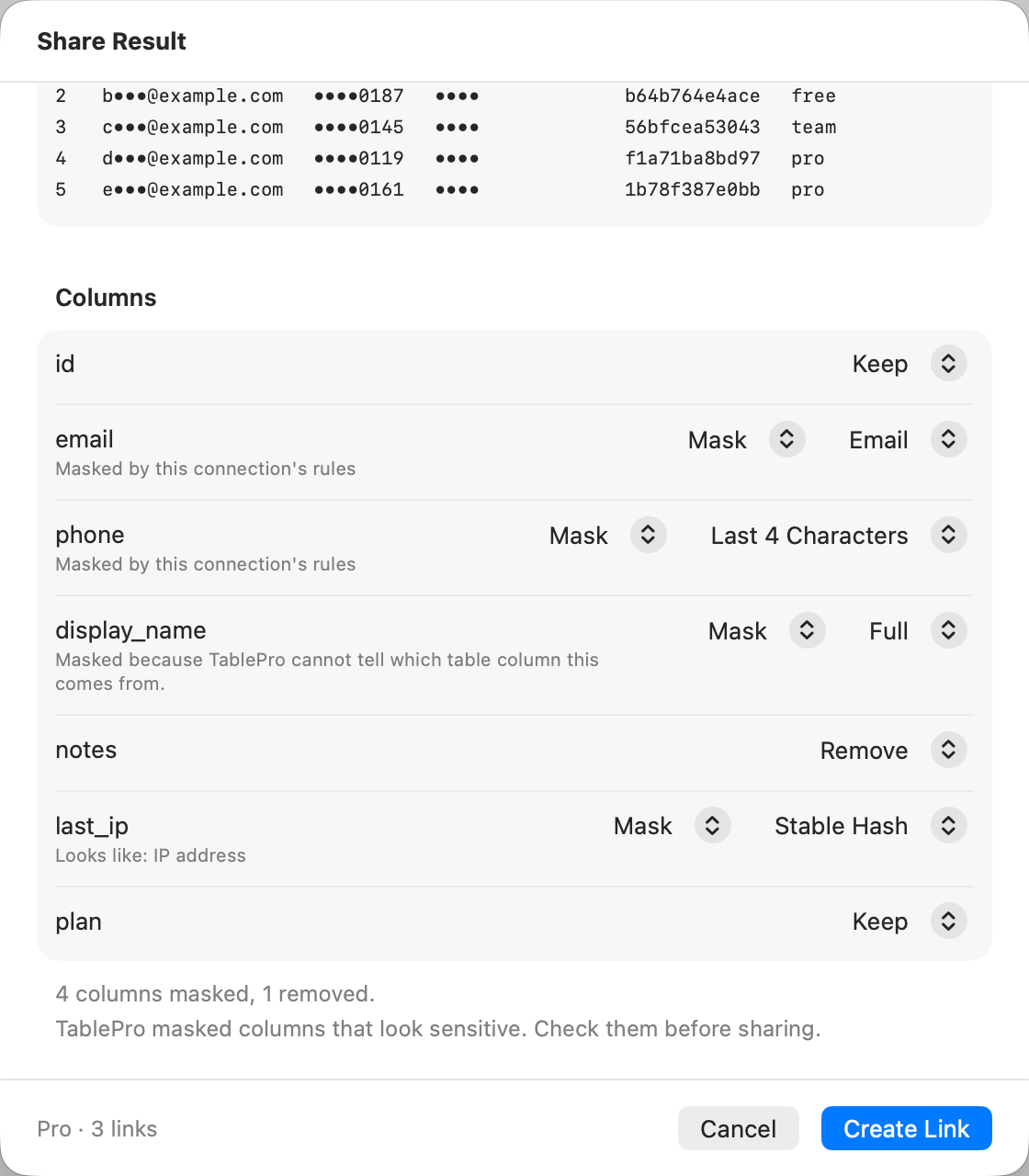
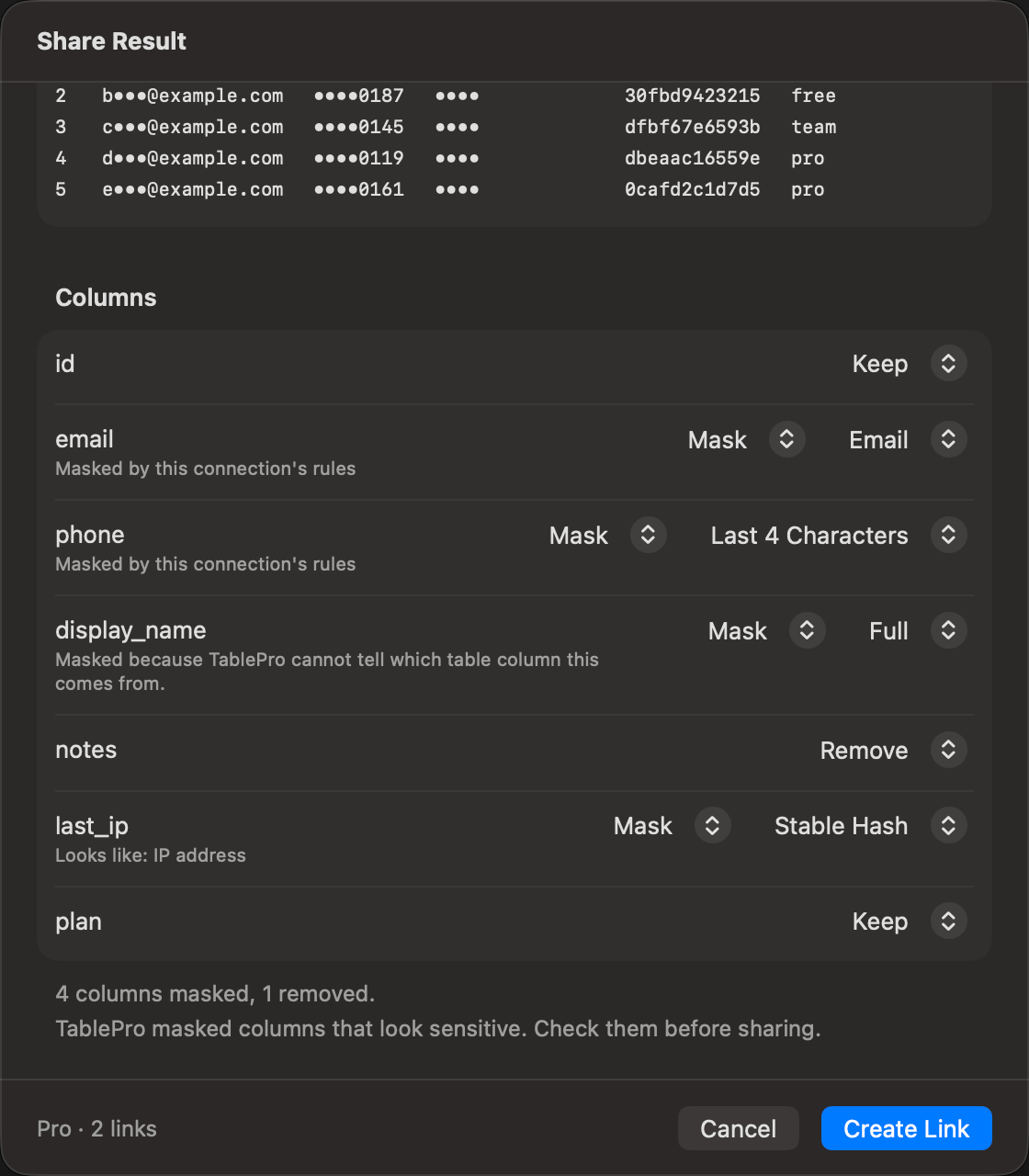
On the Mac: two rule columns, an untraced column, a removed column and a detected IP address
The line under a masked column’s name says why: “Looks like: email address”, or on Linux “The name looks like personal data” or “Values look like email addresses”. On the Mac, “Masked by this connection’s rules” marks a rule. On a Mac connection with rules, a column that reads no table column, such as
count(*), says “Masked because TablePro cannot tell which table column this comes from.” and cannot be set to Keep. Masking for AI and scripts lists what counts.
Under the list, a line counts the result, such as “2 columns masked, 1 removed.” After a detection, it adds “TablePro masked columns that look sensitive. Check them before sharing.”
What looks sensitive
A column’s name is split into words at_, -, ., spaces, capitals and digits, and a term matches one whole word or several joined: stripe_api_key and apiKey match api_key, and company does not match pan. When a name matches two terms, the one covering more words wins.
Values are read from the rows the link holds, and only in text columns: a number, date, boolean or UUID column is judged by its name alone. A column matched by both its name and its values takes the name’s mask. On the Mac, a column a rule already masks is not checked.
Personal data in the SQL
A result whose SQL holds a string literal that looks like an email address, phone number, card number, IBAN, JSON Web Token or API key shows “This query contains what looks like personal data (email address). Turn on Hide SQL to keep the query private.” Click its Hide SQL button, or turn on Hide SQL in the form. The page then shows the rows without the query, though the service still stores it.What viewers see
A masked column’s header on the page carries a Masked badge. Hover over it, or tap or click it, to read “Values in this column were masked before sharing.” with the mask’s name. A removed column does not appear at all.Manage your links
Choose File > Manage Shared Links…, or open account.tablepro.app/shared-links. Shared links in your account lists every personal link with its kind, status, expiry and view count, and a lock on the ones with a password. The line at the top counts them against your plan, such asFree · 3 of 5 links.
Each live or expired link has a menu:
- Copy link and Open, while the link is live.
- Extend 30 days, on Free. The new expiry counts from now.
- Edit… changes the title, note, expiry, password, downloads, and Hide SQL on a result. A password or downloads off still need Pro, and a password a link already has can be removed on Free.
- Revoke… stops the link for everyone at once. It cannot be undone.
Link status
Team links
A team link is made by choosing the team under Share as in the share sheet. A team’s Shared links page, under the team in your account, lists its team links. Owners and admins see every team link, edit or revoke any of them, and hold the Allow public links switch. Turning it off stops new team links, and the team’s existing links stop opening, shown as suspended, until it is on again. Nothing is revoked. A member with a seat sees the team links they shared.Open a link
The page shows the title, note, database type, the day the link was shared and the day it expires. Under them:- The query, with Copy SQL and Open in TablePro. A result shared with Hide SQL, or from a table view with no SQL, has neither.
- The result, with a Masked badge on each masked column, and Export CSV and Export JSON unless the owner turned downloads off. The rows stay readable on the page either way.
Open in TablePro
Open in TablePro puts the SQL in a new query tab, on the connection you are looking at, and never runs it. No connection details travel with a link. Opening one needs no account.- A link with a password asks for it in the app.
- A result shared with Hide SQL says “This shared result hides its SQL, so there is nothing to open.”
- With no connection open, the Mac opens the welcome window and the tab follows the next connection you open. Linux asks you to choose a connection. Windows shows the SQL with Copy SQL, and asks you to connect first.
What a link sends
Nothing leaves your computer until you click Create Link. Then the service atapi.tablepro.app stores:
- The title, note, database type, and the SQL. A result shared with Hide SQL still stores the SQL, and only the page leaves it out.
- For a result, the columns the grid shows and the rows up to your plan’s limit. Hidden and removed columns stay behind. Masked columns are sent masked, with the name of their mask, so the original values never reach the service. Binary values are sent as their size, such as
(binary, 120 bytes).