

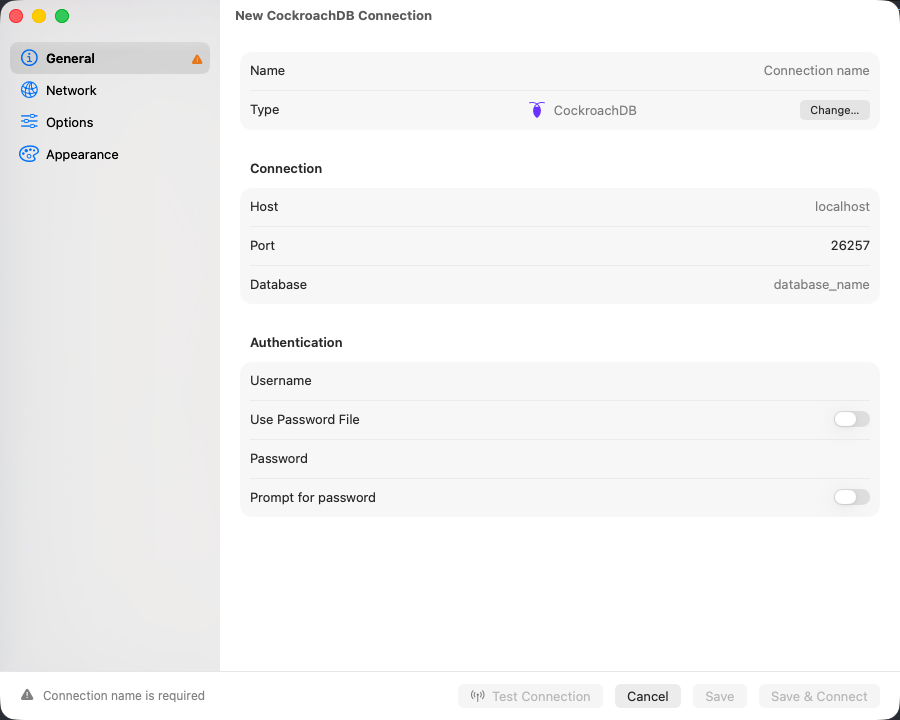
The CockroachDB connection form
Connection settings
For a node started with
cockroach start-single-node --insecure, set SSL Mode to Disabled and leave the password empty. Otherwise fill in the form and click Save & Connect.
Connection URL
cockroach:// also works. See Connection URL Reference.
CockroachDB Cloud
A Cloud connection string carries a cluster routing parameter that the form has no field for. Copy the host, port, user, password, and database from the Cloud console, then put the routing value in Connection Options on the Advanced tab:What is different
Table and view DDL comes from CockroachDB’s ownSHOW CREATE, so the DDL tab shows the statement the cluster itself would emit rather than a reconstruction.
EXPLAIN and EXPLAIN ANALYZE render as a visual plan tree. CockroachDB returns text plans rather than JSON, and the text is parsed into the tree. See EXPLAIN Visualization.
Changing database means reconnecting, as on PostgreSQL. A tab bound to a database other than the connection’s active one runs on a separate connection for it, sharing no temp tables, session variables, or open transaction with the query editor. See Cross-database tabs.
Limitations
- No structure editing at all: no column changes, no index changes, no primary key changes. The Structure tab is read-only. Run schema changes as SQL in the editor.
- No
pg_dumporpg_restore. File > Backup Dump… and File > Restore Dump… stay dimmed. Use CockroachDB’sBACKUPandRESTOREstatements. - No Table Maintenance submenu. CockroachDB garbage-collects on its own and offers no
VACUUMto run. - Foreign key checks cannot be deferred.
Troubleshooting
Connection refused: Check the cluster is running and port 26257 is reachable. For a local cluster, confirmcockroach start is still running.
Authentication fails: On a local insecure cluster use root, no password, and SSL Mode Disabled. On Cloud, copy the credentials from the console and use Verify Identity.
Cloud connection hangs or is rejected: The cluster routing value is missing. Put --cluster=your-cluster-name in Connection Options.
EXPLAIN shows raw text: The plan did not match the shape the parser expects, so it fell back to the server’s own text. The plan is complete; only the tree is missing.